


Levolor motorized shades use the brand’s InMotion system to raise, lower, and adjust window treatments with a remote control or smart device, no chains or cords involved. They’re available across several shade styles, including cellular, roller, and Roman options, and they’re sold primarily through Lowe’s as a Levolor exclusive retail partner.
If you’re a homeowner in Central Florida weighing motorized shade options, it helps to understand exactly what Levolor offers before committing. How does the InMotion system actually work? What will you spend? And is the setup something you can handle yourself? At The Shutter Look, we’ve spent over 23 years installing window treatments, including motorized shades, across the region, so we know what matters when you’re choosing between brands and systems.
This article breaks down Levolor’s motorized shade lineup, covering the InMotion controls, realistic cost expectations, and what the setup process looks like from unboxing to daily use.
What Levolor motorized shades are
Levolor is a long-standing window treatment brand that sells its products through Lowe’s as its exclusive retail partner in the U.S. Their motorized line sits within a broader shade catalog that covers several styles and price points. The InMotion system is Levolor’s name for the motorization technology built into these products, and it’s what lets you raise, lower, or adjust your shades without touching a cord or chain.
Shade styles available
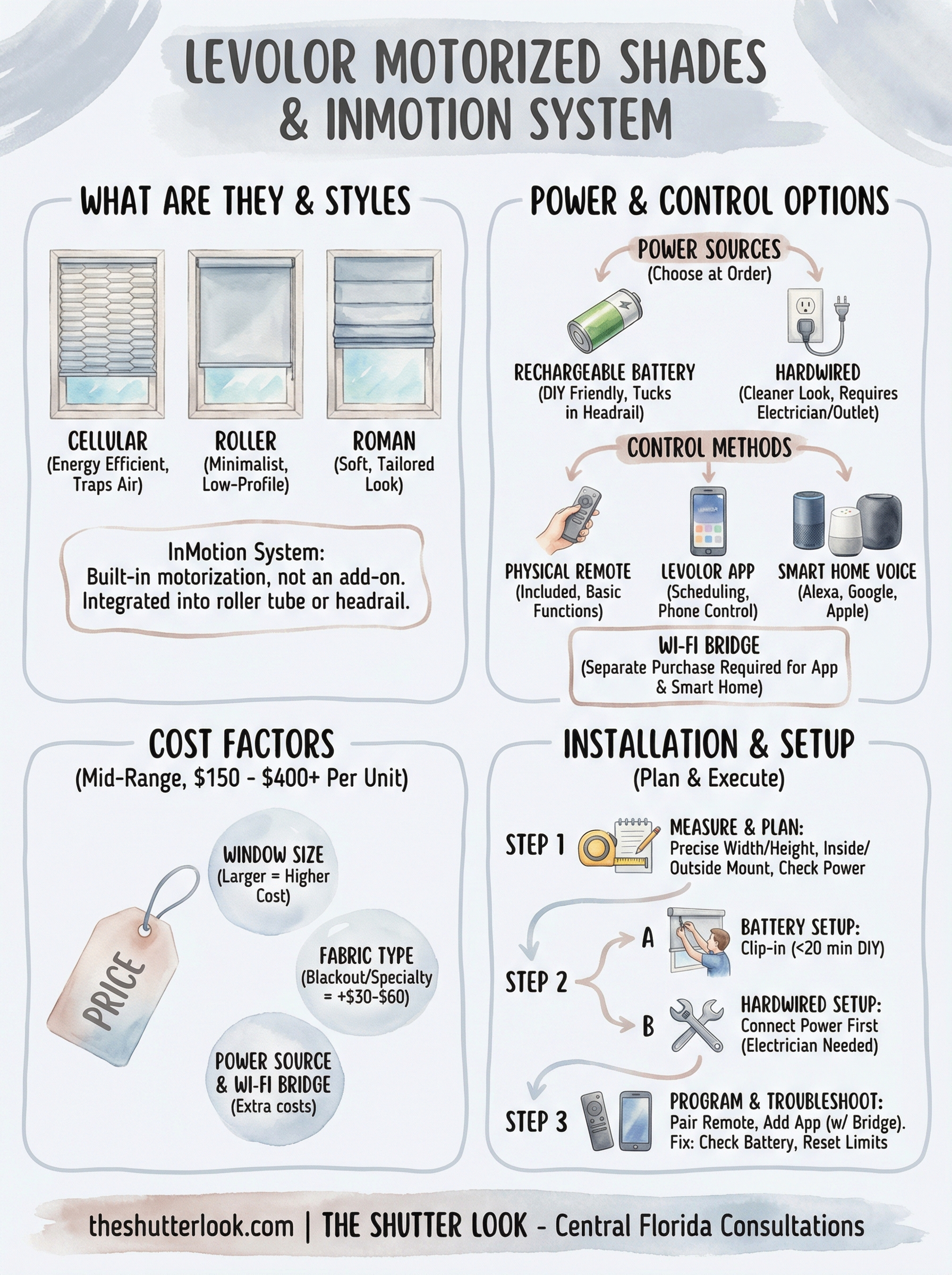
Three main styles make up the Levolor motorized shades lineup: cellular (honeycomb), roller, and Roman. Each one targets a different need. Cellular shades use a honeycomb structure that traps air between layers, which reduces heat transfer through the glass. That makes them especially practical for Florida homeowners dealing with intense sun exposure year-round. Roller shades take a more minimal approach, with a single layer of fabric that rolls up cleanly and suits rooms where you want simple, low-profile light control. Roman shades fold into horizontal fabric sections when raised and bring a softer, more tailored look to a space.
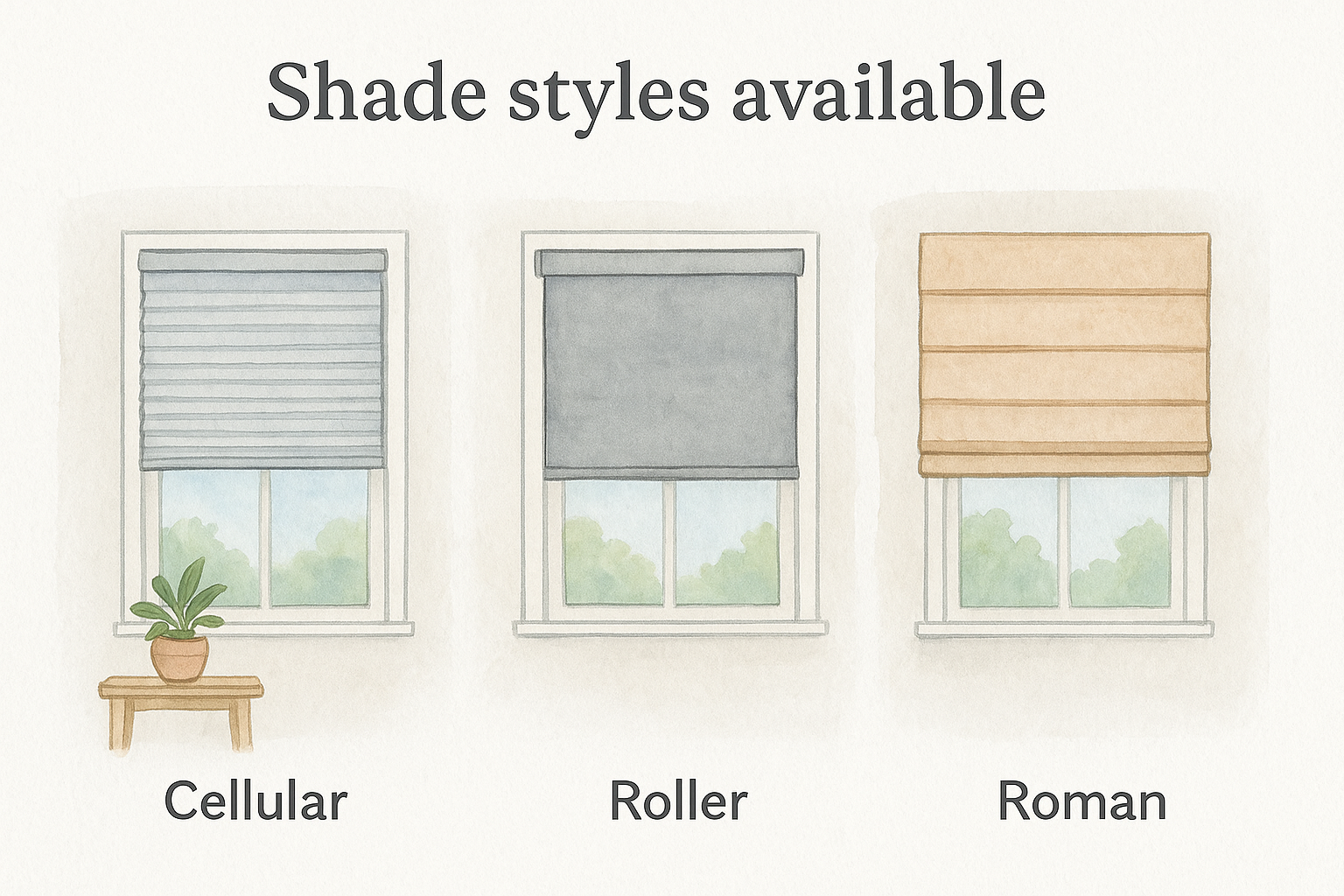
Cellular shades are the most energy-efficient option in Levolor’s motorized lineup because the honeycomb structure helps reduce heat gain through the window glass.
How the motor is integrated
InMotion is not a separate add-on you attach after purchase. It’s a product configuration you select when you order, and the motor is built directly into the roller tube or headrail depending on which shade style you choose. Once installed, the shade looks nearly identical to a standard corded version from the front.
You also choose your power source at the time of order: either a rechargeable battery pack that tucks into the headrail or a hardwired connection that draws from a standard outlet. Both options work with the same InMotion remote system, so your control experience stays consistent either way.
InMotion control options and smart home support
The InMotion system gives you three ways to operate your shades: a dedicated remote, the Levolor app, or voice commands through a connected smart home platform. All three methods work independently, so you’re not forced to rely on just one.
Remote and app control
Levolor includes a physical remote control with each InMotion unit, and it handles basic raise, lower, and stop functions without requiring any Wi-Fi setup. If you want more flexibility, the Levolor InMotion app (available on iOS and Android) lets you control shades from your phone, set schedules, and fine-tune positioning. The app connects through a Wi-Fi bridge that you purchase separately, so it’s not part of the standard package.
The Wi-Fi bridge is not included with the shade itself, so factor that extra cost into your budget if app or smart home control matters to you.
Smart home compatibility
Once you add the Wi-Fi bridge, your Levolor motorized shades pair with Amazon Alexa, Google Home, and Apple HomeKit. After setup, you can group shades by room, trigger them through automation routines, and control them with voice commands. The pairing process runs through the Levolor app and typically takes under 15 minutes as long as your Wi-Fi signal is stable near the window.
What they cost and what affects pricing
Levolor motorized shades sit in the mid-range tier of motorized window treatments. A single unit typically starts around $150 to $200 for smaller windows and can climb past $400 for larger or more complex configurations. That price covers the shade itself with the InMotion motor built in, but it does not include the Wi-Fi bridge if you plan to use app or smart home control.
Budget for the Wi-Fi bridge separately if smart home integration is part of your plan, since it adds roughly $50 to $80 to your total.
What drives the price up
Three main factors push the cost higher: window size, fabric type, and the power source you select. Larger windows require more material and a stronger motor, which increases the unit price directly. Blackout and specialty fabrics cost more than standard light-filtering options, and they can add $30 to $60 per shade depending on the style you choose.
Your power source choice also affects cost at the installation stage. Battery-powered units are easier to install yourself, but hardwired units require an electrician if you don’t already have a nearby outlet, and that labor adds to your overall spend beyond just the product price.
How to buy and plan your installation
Since Levolor sells exclusively through Lowe’s, your two purchase options are ordering online at Lowes.com or visiting a physical store. Shopping in-store lets you review fabric samples before committing, which prevents surprises once your shades arrive.
Visiting a store lets you assess physical fabric samples and confirm your configuration before placing a final order.
Measuring your windows
Getting your measurements right before ordering is essential. For levolor motorized shades, you’ll record the width and height of each window opening and decide between an inside mount (which sits within the frame) or an outside mount (which covers it). Inside mounts require at least 2.5 inches of depth for the motor and headrail.
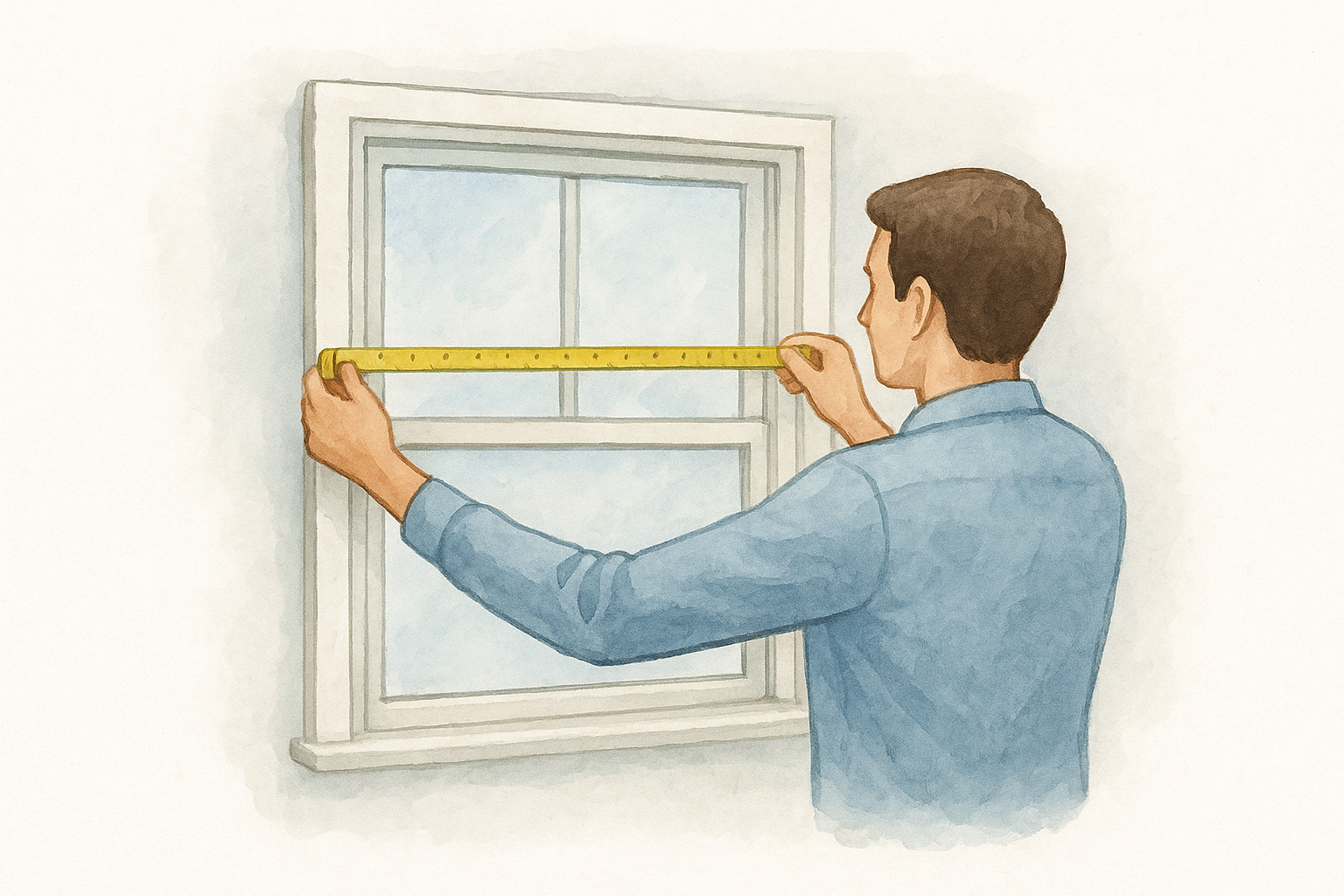
Measure each window individually, even if they look identical. Small size variations are common, and ordering to the wrong dimension means waiting through a return and reorder cycle before installation can move forward.
Planning for power
Before finalizing your order, check whether each window has an accessible outlet nearby. Battery-powered units remove that concern entirely and are the easiest path if no outlet exists.
Hardwired motors deliver a cleaner look and skip the recharging step, but they require an outlet or a new electrical run. If you choose hardwired, schedule an electrician ahead of delivery so installation doesn’t stall on arrival.
Setup, programming, and troubleshooting
Installing Levolor motorized shades is straightforward if you’ve already confirmed your power source and mount type. Battery units clip into the headrail without any wiring, and most homeowners complete a single window in under 20 minutes. Hardwired units follow the same bracket process, but you’ll connect the power lead to your outlet before sliding the headrail into place.
Programming your remote and schedules
Your remote comes pre-paired to the shade from the factory, so basic operation works immediately after mounting. To add app control, download the Levolor InMotion app, connect the Wi-Fi bridge to your router, and follow the in-app pairing steps. Once linked, you can set daily schedules that raise or lower your shades automatically at set times.
Setting schedules through the app takes about five minutes per shade once your Wi-Fi bridge is connected and active.
Fixing common issues
Two problems come up most often: a shade that won’t respond to the remote and one that stops mid-travel. For an unresponsive shade, check the battery charge first and confirm the remote is within 30 feet. A shade stopping mid-travel usually means the upper and lower limit positions need to be reset, which you can do by holding the reset button on the motor until the shade cycles fully.
Next steps
Levolor motorized shades give you a capable, mid-range motorized option that covers the basics well, from remote control operation to smart home integration, as long as you plan for the extras like the Wi-Fi bridge and power source before you order. Measuring carefully, confirming your mount type, and deciding between battery and hardwired power ahead of time will save you from delays once the shades arrive.
If you’re weighing Levolor against other motorized shade options available in Central Florida, it’s worth talking to someone who installs these systems regularly. The right product depends on your specific windows, sun exposure, and how much you want to automate. At The Shutter Look, we offer free in-home consultations with physical samples so you can see and feel your options before committing. Reach out to schedule a visit and get a straight answer on what works best for your home.
